

Below is our own sign-up from 1 July 2026, including the verification screen most guides skip.
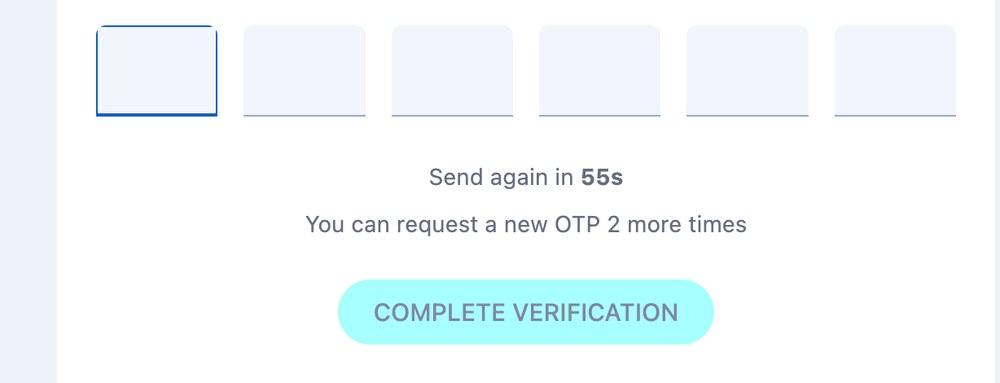
What we tested: When we registered on BetKing on 1 July 2026, the phone step used a 6-digit code shown on an in-app verification screen with a resend timer — not the SMS PIN the top-ranking guides describe. Our screenshot shows the actual screen.
- First field
- Nigerian phone number
- Form fields
- Phone, password, name, email, date of birth, state
- Referral code
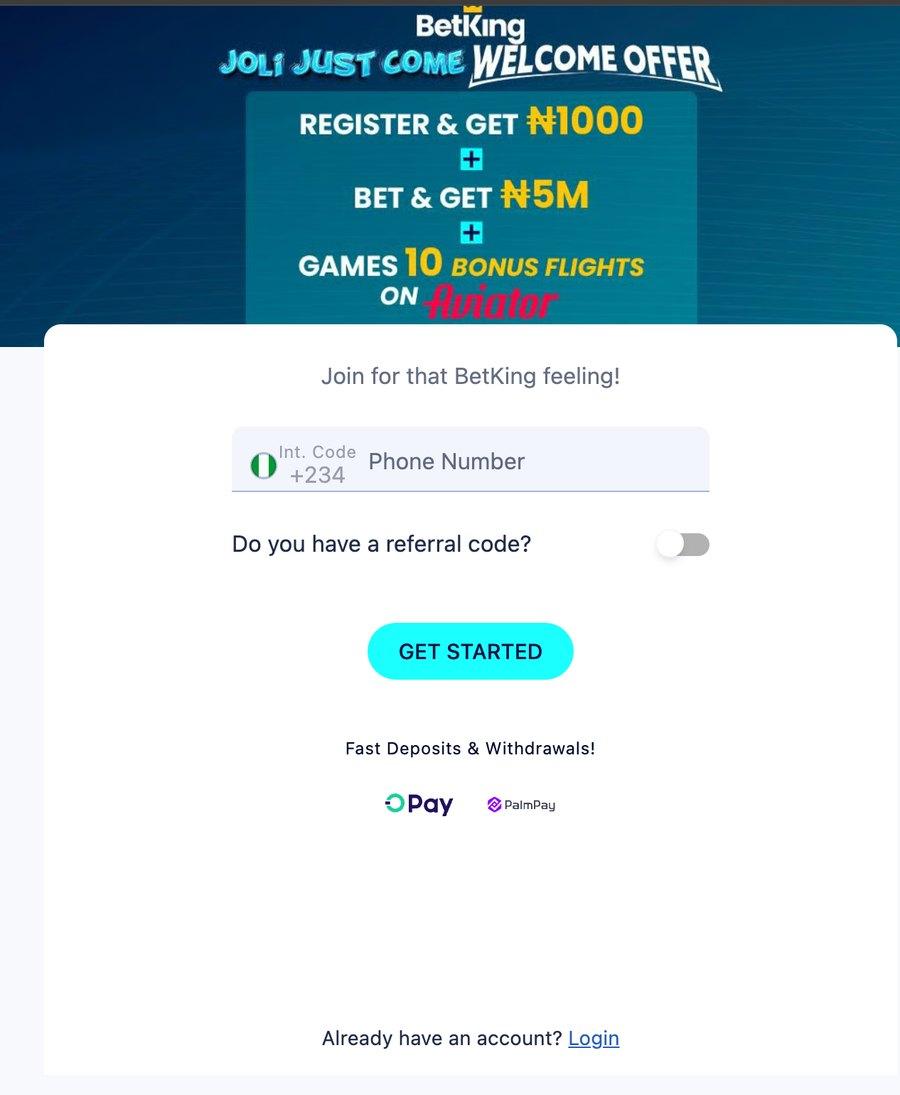
- Optional — toggle on the first screen
- Verification (our test)
- 6-digit code on an in-app screen, resend after ~55s, 1 July 2026
- Minimum age
- 18+
- Currency
- Nigerian naira (₦)
- Accounts per person
- 1
- KYC documents
- International passport, voter's card, driver's licence, National ID, or CAC document
- Bonus condition
- Check BetKing's current welcome terms
- Sign-up screen shows
- OPay + PalmPay (fast deposits)
- Operator
- SV Gaming Limited
- Screens captured
- Join and verification — our own, 1 July 2026
What you need before you start
You need an active Nigerian phone number, a working email, and your legal name exactly as it appears on your bank account — BetKing checks this before paying out and before releasing the welcome bonus. You'll also enter your date of birth and state of residence during sign-up.
You must be 18 or over, be resident in Nigeria, and hold just one BetKing account, with everything handled in Naira. A referral code is optional — the toggle sits on the very first screen — and it is worth having a valid government ID ready for the KYC check that comes before your first withdrawal.
BetKing registration: step by step
BetKing uses a short multi-step form. You start with your phone number, then set a password and your name, then add your email, date of birth and state of residence, and finish with a 6-digit phone verification you complete on-screen. The full written procedure and our own screenshots are below.
There is no long questionnaire and no document upload at this stage — identity verification (KYC) comes later, before your first cashout. Enter your name exactly as it appears on your bank account now, because a mismatch is what blocks payouts and the bonus afterwards.
The verification step: 6-digit code, not an SMS PIN
BetKing verifies your number with a 6-digit code shown on an in-app screen that carries its own resend timer — worth knowing if you've read older guides telling you to sit and wait for a separate SMS PIN. On 1 July 2026 this is exactly the screen we saw, captured above.
On our sign-up the screen let us request a new code with "Send again" after about 55 seconds, and capped it at a limited number of retries ("you can request a new OTP 2 more times"). If the code is slow, turn off Do Not Disturb with your network so it can be delivered.
BetKing account verification (KYC)
Phone verification isn't the same as full KYC. Before your first withdrawal — and before BetKing releases the welcome bonus — you have to complete your bank profile and upload a valid Nigerian ID, and the name on both must match the name on your account. Skipping this is the usual reason a payout or bonus stalls.
To verify, log in and open Main Menu → Verify, then upload a clear photo of one accepted document — typically an international passport, voter's card, driver's licence or National ID (a CAC document for business accounts); check BetKing's current requirements. The name must match both your bank details and your BetKing account. A blurry or cut-off photo is the most common cause of delay, so make sure the whole document is in frame and readable. We haven't independently timed how long BetKing's review takes, so we don't quote a figure here.
Funding your account and the welcome bonus
After verifying, you make a deposit to start betting, and BetKing's sign-up screen flags OPay and PalmPay as fast deposit options. Bonuses typically require a verified account, so complete verification first if a promotion is why you're signing up — and check BetKing's current terms, because the offer changes.
The minimum deposit is ₦100, and OPay is a quick route — our payments guides cover how it works rather than repeating it here. BetKing's welcome offer changes, so we don't quote amounts here; check the current promotion and its terms on BetKing's own site before you claim.
Common BetKing registration problems
The most common snag is the verification code not arriving, which is usually Do Not Disturb blocking it or a wrong digit in the phone number. The other frequent issues are the details step failing to submit on a weak connection, and a date of birth or detail that doesn't match your documents.
If the code doesn't come, use "Send again" after about 55 seconds, re-check every digit of your number, and turn Do Not Disturb off. If the details screen won't submit, it's normally the connection — refresh and try again on a stable signal. And make sure your date of birth shows you are 18+ and that every detail matches the documents you'll later use for KYC, or verification will fail down the line.
How to register at BetKing
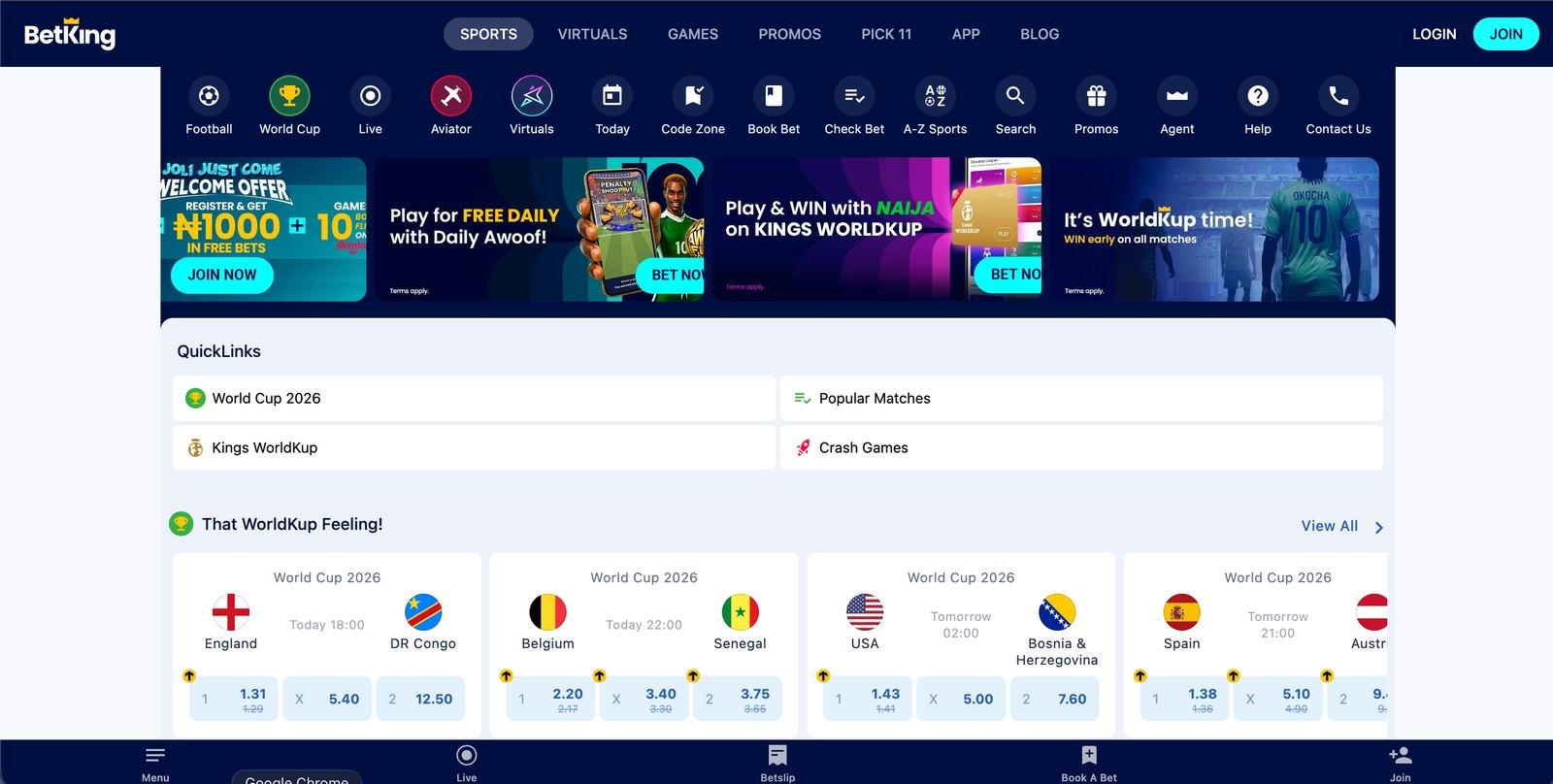
- Go to the BetKing site and tap "Join" in the top-right corner.
- Enter your Nigerian phone number (+234). To use a referral code, switch on "Do you have a referral code?" and enter it; otherwise leave it off. Tap "Get Started".
- Set a password and enter your first name and surname exactly as they appear on your bank account, then tap Next.
- Enter your email address, date of birth and state of residence, then tap Next.
- Tick the 18+/terms box (a second, optional box opts you in to BetKing marketing) and continue.
- On the "Complete Verification" screen, enter the 6-digit code. If it doesn't arrive, use "Send again" after about 55 seconds and turn off Do Not Disturb.
Registration screenshots
More on BetKing
Back to Guides BetKing review
18+ only. Betting should stay entertainment, never a way to solve money problems. Read our responsible gambling guide.